requisition_palette
Controls which purchasable items appear in the D-pad requisition menu during a match. Requisition items are defined on the scenario tag — weapons, vehicles, and equipment available on a map, with costs and categories, live in map data. The gametype requisition_palette element does not add new items; it selects which scenario items are actually available to players when a palette is assigned.
Each palette starts from a baseline (a preset subset) and then enables or disables individual items by name.
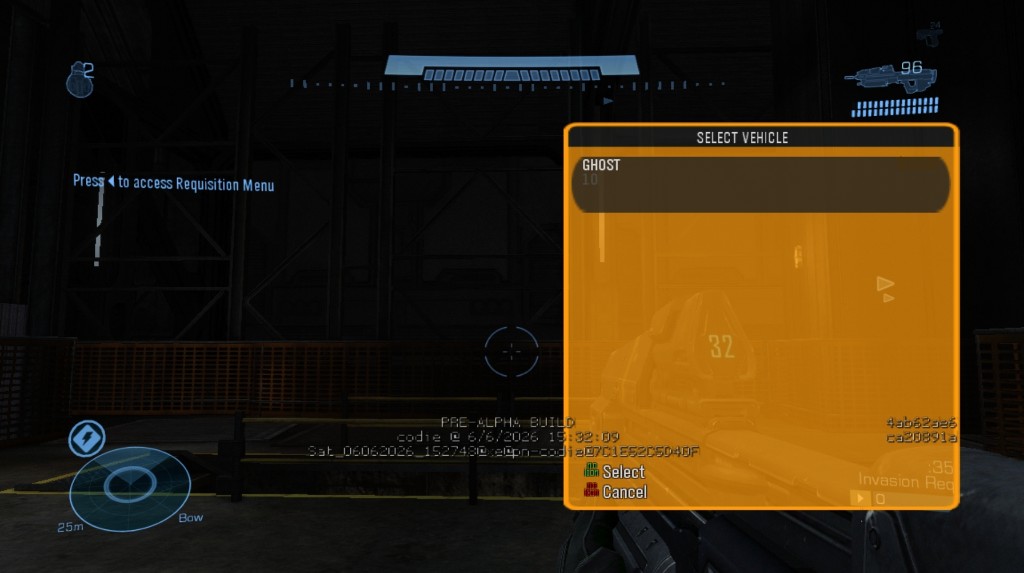
Requisition menu UI from a Reach pre-alpha build. Scenario data supplies the item list; gametype palettes and player_enable_purchases control what players can buy.
requisition_palette covy_palette_gold
baseline elite
end
| Field | Purpose |
|---|---|
baseline | Starting subset of scenario items. Values seen in scripts include full, spartan, elite, and empty. |
item | Enable or disable a specific scenario requisition item. Syntax: item "<name>" enabled or item "<name>" disabled. Names must match entries from the scenario and object lists. |
Assign palettes at runtime with player_set_requisition_palette, and gate purchasing with player_enable_purchases. See Actions — Requisition actions.
A script may declare at most 8 requisition palettes.
Base-derived scripts
requisition_palette is full-script-only — it cannot be added in base-derived scripts.